Il miglior browser Web alternativo a Safari per iPhone, non puoi individuare nessuno in particolare poiché l'App Store iOS è pieno di browser di terze parti. Prima di andare all'Appstore iOS, ci sono due preoccupazioni principali. La nostra ricerca di una navigazione fluida e veloce o la protezione delle nostre informazioni personali con un focus sulla privacy durante il web o entrambi? La risposta semplice è entrambe le cose.
Esistono diversi browser di questo tipo; alcuni offrono un'interfaccia facile da usare per una navigazione web veloce mentre altri hanno una gamma di funzionalità con personalizzazioni in modo da poter avere la migliore esperienza di navigazione web.
Safari è il browser predefinito preinstallato su ogni nuovo dispositivo iOS, ma poiché presenta maggiori rischi o suscettibilità per la sicurezza, sono emerse diverse alternative.
Contenuti
16 migliori browser Web per iPhone (alternative a Safari)
I numeri di alternative a Safari che offrono una navigazione sicura del Web in luoghi pubblici sono molti come Google Chrome, Opera Touch, Dolphin, Ghostery, ecc., Dipende esclusivamente dal gusto personale. Consideriamo le varie alternative safari per iPhone una per una di seguito:
1. Google Chrome
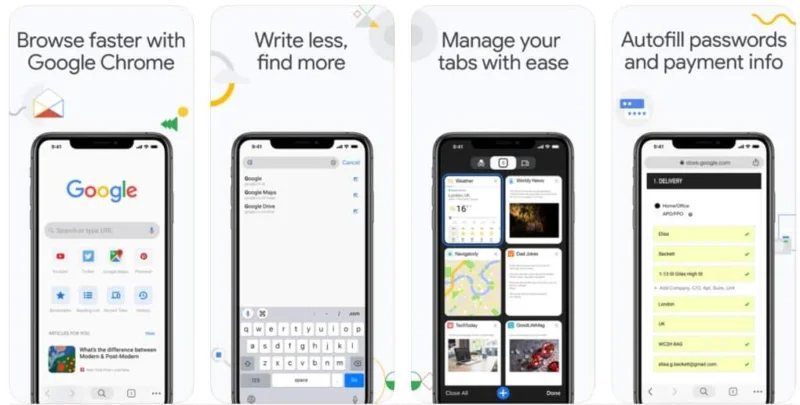
È stato lanciato nel lontano 2008 ed è diventato il browser più popolare fino ad oggi, che può essere scaricato gratuitamente. È una delle migliori alternative a Safari con una serie di funzionalità. Consente la sincronizzazione multipiattaforma ed è disponibile per coloro che amano lavorare su più dispositivi in esecuzione su diversi sistemi operativi in quanto può sincronizzarsi non solo con Windows e Android, ma anche con dispositivi iOS.
Con un'eccellente gestione delle schede, utilizzando Chrome, puoi creare rapidamente nuove schede, riorganizzarle e spostarti tra di esse in una visualizzazione di gestione 3D. L'utilizzo del browser Google Chrome sul desktop può consentirti di sincronizzare la cronologia di navigazione e tutti i tuoi segnalibri, su tutti i dispositivi, sul tuo iPhone e iPad anche accedendo con il tuo ID Gmail.
Chrome consente anche la traduzione di pagine web da lingue straniere quando sei in movimento, quindi non devi preoccuparti della lingua in uso. Può anche continuare a tradurre pagine Web senza interrompere un programma per computer già in esecuzione.
Chrome include, gratuitamente, un meccanismo di ricerca vocale integrato, in modo che tu possa cercare sul Web, inserendo le richieste di ricerca con la tua voce, anche quando utilizzi un iPhone più vecchio che non supporta Siri. Consente inoltre la "navigazione privata" per navigare in privato sul Web utilizzando la modalità di navigazione in incognito integrata nel software Chrome.
Quindi vediamo, Google Chrome, una volta sincronizzato correttamente, è eccezionalmente veloce e ti consente di accedere a quasi tutti i dati associati al tuo account, incluse password, cronologia delle ricerche, segnalibri, schede aperte e simili.
Nonostante le caratteristiche di cui sopra, ogni sistema presenta anche alcuni inconvenienti. Innanzitutto non è il browser predefinito; in secondo luogo, può essere un po' un problema per la CPU, rallentando le prestazioni del sistema e scaricando anche la batteria del sistema. Inoltre, alcune funzionalità iOS integrate in Safari, come Apple Pay e l'integrazione generale, non vengono replicate in questo browser. Tuttavia, i pro superano i contro rendendolo uno dei migliori browser per iPhone.
Scarica Google Chrome
2. Focus su Firefox
")
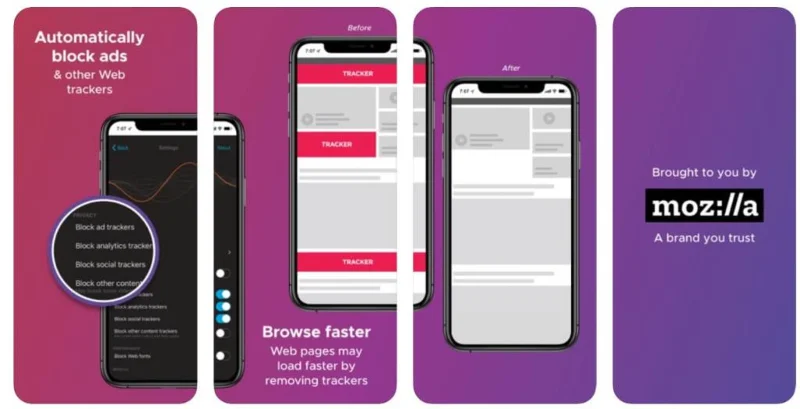
Firefox non è un nome anonimo e il suo browser Firefox Focus è disponibile per il download gratuito. Questo browser web è il migliore per coloro che sono molto disinvolti nel condividere i propri smartphone con gli altri. Molto prima che Chrome arrivasse alla ribalta, Mozilla era al timone della rivoluzione dei browser web.
Questo browser Web enfatizza principalmente la privacy e non è necessario entrare separatamente per una modalità di navigazione in incognito per occuparsi dei tracker. Senza alcun cambiamento nelle sue impostazioni, blocca tutti i tipi di web tracker.
Utilizzando Firefox focus, puoi sincronizzare password, cronologia, schede aperte e segnalibri con tutti i dispositivi che dispongono di un account Mozilla. Tutte le funzionalità di Firefox sul desktop come la navigazione privata ecc. si riflettono per iOS sul tuo iPhone.
Questa modalità di navigazione privata impedisce di ricordare la cronologia di navigazione. Consentirà anche la cancellazione di qualsiasi informazione e account salvati con un solo tocco, dandoti il controllo completo della cronologia di Internet.
Un'altra impostazione relativa alla privacy in Firefox, che ha un grande significato, è l'integrazione di Touch ID e passcode. Quindi, quando desideri accedere ai dati salvati, Firefox ti chiederà un passcode o un'impronta digitale.
Firefox ti offre la possibilità di consentire o meno il funzionamento anche con una tastiera di terze parti. Alcune tastiere di terze parti possono trasmettere allo sviluppatore i dati digitati, il che potrebbe compromettere la privacy. Firefox blocca anche tutti i tipi di annunci, dati social e di tracciamento, analisi, ecc. È per questi motivi che è considerato il browser più incentrato sulla sicurezza su iOS.
Con la sua visualizzazione del lettore integrata, puoi concentrarti sulla lettura, senza distrazioni, che rimuove dalla pagina web, consentendo così una lettura senza distrazioni sulla pagina web. Non è un browser pesante ma è un browser molto semplice, più snello che comprende solo una barra degli indirizzi, senza cronologia, menu, segnalibri o persino schede.
Per non consentire la modifica nel browser predefinito sul tuo iPhone, puoi condividere un collegamento da Safari a Firefox sul tuo Apple iPhone. Per quegli utenti iPhone che vogliono nascondere la propria identità al mondo online, è il browser per chiedere, che facilita questa funzione.
La mancanza di cronologia, menu o persino schede è uno dei principali svantaggi di questo browser Web, ma questo non può essere aiutato se il requisito principale è la necessità dei browser più incentrati sulla sicurezza su iOS.
Scarica Firefox Focus
3. Fantasma
")
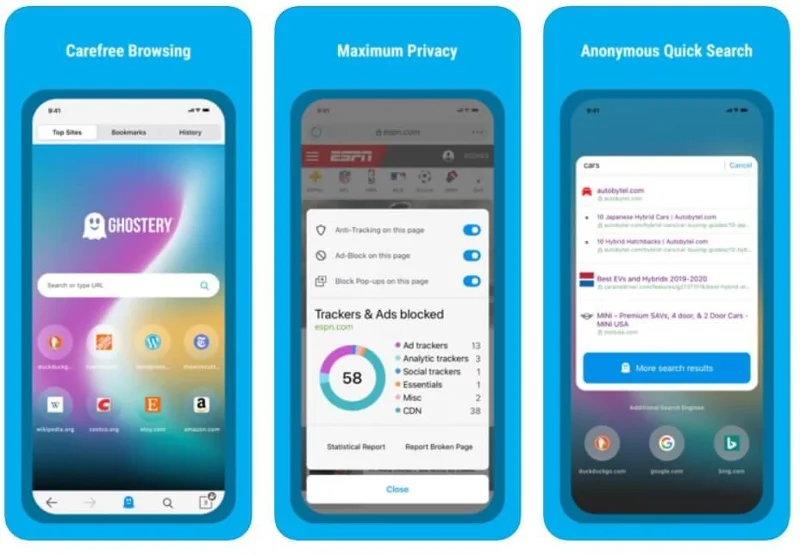
È uno dei migliori browser web per iPhone ed è perfetto per coloro che sono molto determinati nella loro determinazione ad aderire all'anonimato e vogliono avere privacy evitando bombardamenti indesiderati di pubblicità, ecc. sui propri dispositivi iOS. È alimentato da DuckDuckGo come motore di ricerca predefinito piuttosto che dai soliti motori di ricerca come Bing, Yahoo o Google per una maggiore privacy.
Questo browser offre anche il blocco del tracker e disabilita anche i cookie e le cache, con il solo utilizzo di un solo clic. Non ci sono registrazioni e nessuna raccolta di dati da parte dell'app stessa a meno che non si opti per consentire a Ghostery di compilare il proprio database.
Non è un browser mobile molto veloce rispetto a molti altri in questo elenco, ma non è nemmeno così male che lo noterai. Per ottenere qualcosa, devi essere pronto a perdere qualcosa, il che implica che se vuoi che la tua cronologia di navigazione sia al sicuro, allora devi essere pronto a sacrificare leggermente la velocità.
Per quanto riguarda i tracker, il controllo del tracker del browser li individuerà e ti avviserà con un'icona rossa se un tracker sta cercando di rintracciarti online. Ti consente di visualizzare nell'angolo in basso a destra della pagina Web, un elenco di tracker con la sua numerazione di colore rosso. Puoi abilitarli o disabilitarli, proteggendoti efficacemente dal tracciamento online.
Il browser offre inoltre una modalità Ghost, che consente un'ulteriore protezione della privacy impedendo che i siti Web visitati vengano visualizzati nella cronologia del browser. Offre anche un'ottima protezione contro gli attacchi di phishing.
Gli sviluppatori hanno aggiunto un'altra funzionalità solo a scopo sperimentale chiamata Wi-Fi Connection Protection. Questa funzione è progettata per monitorare gli ad tracker in qualsiasi app che utilizzi su una particolare rete Wi-Fi.
Anche l'interfaccia utente di Ghostery non è molto attraente. Sebbene inizialmente il browser Web fosse visualizzato dal suo team di sviluppatori solo come componente aggiuntivo per il blocco del tracker, oggi è uno dei migliori browser per la privacy per iPhone ed è un must per coloro che preferiscono la privacy alla velocità e al design.
Scarica Ghostery
4. Browser mobile Dolphin
")
This is free to download, feature-rich, remarkable browser for the iPhone users. With plenty of features, it makes a great alternative to the Safari web browser, also making it the most favored browser amongst its users.
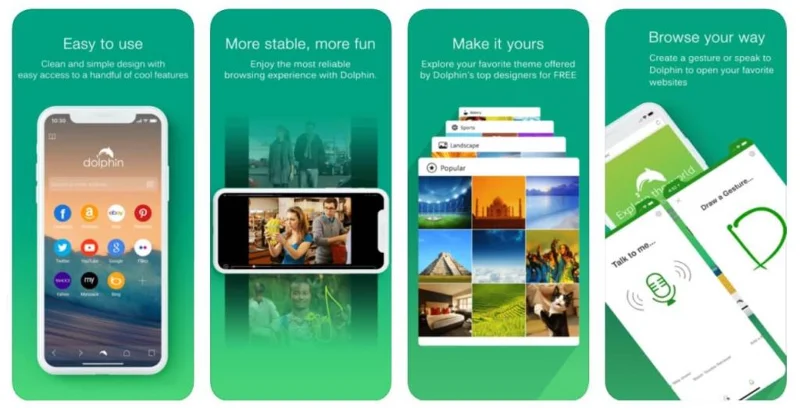
With a gesture-based navigational control, it enables you to visit your favorite websites, go to a new webpage, and refresh the one you are on. With a right to left swipe, you can open new tabs, whereas, with a left to right swipe, you can access bookmarks and navigation shortcuts.
The app using recognizable personalized symbols lets you draw your custom gestures directly on the screen, e.g., when you write the alphabet ‘N’ on the screen, a new tab automatically opens up, or writing the letter ‘T’ you can open the main Twitter homepage.
The browser also features the Sonar voice search and control option. This can be activated by simply shaking the device through a clever shake and speak option, but it involves a nominal cost to download this feature. The Dolphin browser also gives you the flexibility to choose from plenty of themes.
It also offers a speed dial feature, using which you can visit routinely accessed websites with great ease in no time. It has an inbuilt QR code scanner next to the URL bar and also supports a night mode feature that dims the screen to a suitable level for browsing at night without disturbing others around you.
Using the Dolphin Connect feature, it can share bookmarks, history, and other web pages with Facebook, Twitter, Evernote, AirDrop, and other pocket options. It can also speedily sync and save your password and a lot of other data across many proprietary devices like mobiles and desktops.
The large number of features that make it one of the best web browsers for iPhone simplifying the browsing experience also many times makes its interface more confusing, due to the same reasons, mainly for those who are using it for the first time.
Download Dolphin
5. Opera Touch
")
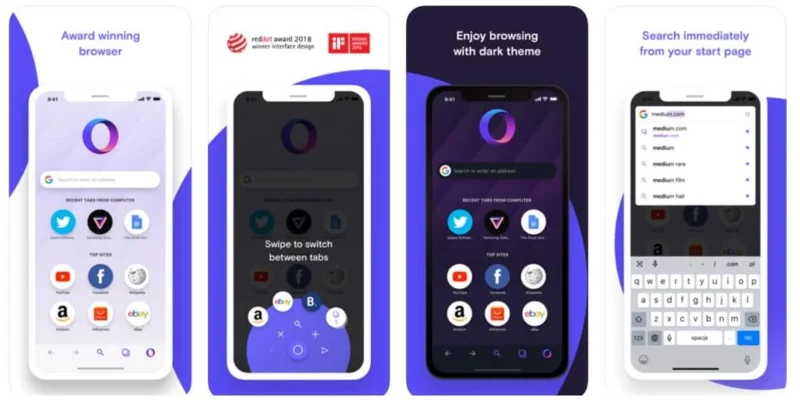
Opera Touch was designed for use by the people who are always on the move and is considered to be one of the fastest browsers for iPhone users. Being lightweight and designed to work on limited bandwidth, it is best for those who are on the lookout for speed coupled with an easy to use interface.
It is a relatively new browser that started in 2004 and held only one percent of the web browser desktop market. This browser is a simple open-source project to fetch web content through a proxy server. With a stripped-back, mobile-first approach, Opera Touch has a built-in Crypto wallet, for iPhone, to handle crypto-currency such as Ethereum.
It is in no way as feature-rich as Chrome or as efficient as Safari. However still, even on the most crowded networks, it can quickly compress data and similar content by up to 90 percent before downloading and displaying the webpages.
This browser syncs smoothly with the Opera Mini browser and has a ‘Flow’ feature enabling, by a simple scan of a QR code, to and fro movement of articles, data, and web links even on the go without any interruption. With a built-in ad blocker and pop-up stopper, you can block unwanted ads and pop-ups, which avoids undue loading and, as a result, speeds up web browsing.
During travel using the Opera Touch browsers bar code scanning property, you can scan the product’s product bar code of your interest and easily look it up over the internet. Similarly, its voice search feature also helps and makes things a lot more comfortable to overcome the problem of having to type when on the move.
The full-screen mode of the Touch Opera browser can enable viewing webpages and other statistics indicating the amount of data used in a particular session or during its entire period of use of the web browser on your phone.
Opera Touch also provides end-to-end encryption to your data to shield your delicate information and save it from the always prying eyes on the internet. The iPhone browser also has a fast Action Button for easy one-hand usage, which comes very handy in crowded buses and trains while traveling.
The only drawback of the Opera Touch browser which comes to mind is its inability to bookmark requisite data in various folders and links to enable its users to refer back to it quickly when needed at a later date or time. So, if you are habitual of bookmarking of data for future reference then this is not the recommended browser for you.
Download Opera Touch
6. Aloha Browser
")
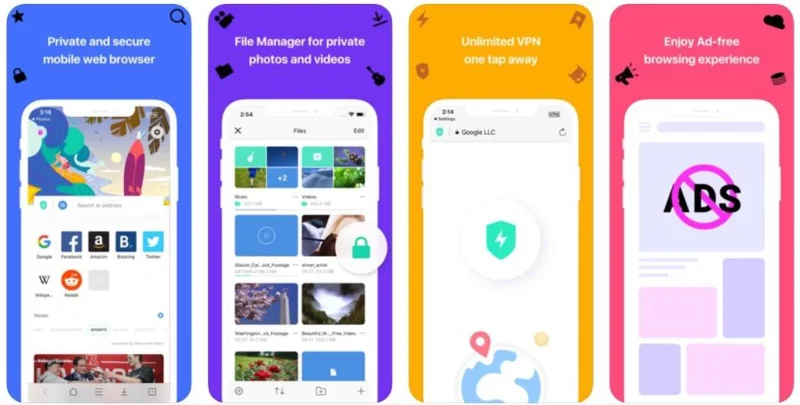
For privacy-oriented users whose main concern is and only is privacy, the search ends here. Aloha browser’s main focus is on privacy, and it hides your footmarks on the internet with the help of an in-built, free, and unlimited VPN. It is one of the best Safari alternatives in 2020.
This iPhone browser, using hardware acceleration, displays pages up to two times faster than other mobile browsers. Hardware acceleration is the process by which certain computing tasks are offloaded onto specialized hardware components within the system, by an application, which works with greater efficiency than the software running on the CPU alone.
This web browser allows ad-free, anonymous browsing of the internet. It also a paid version is known as Aloha Premium with more advanced features for hardcore privacy-focused individuals. The Aloha browser also has built-in VR players enabling the playing of VR videos.
Its user interface provides a simple and straightforward interface similar to that of Google Chrome. The web browser does not register any activity, making it the best iPhone browser with no data traces for anyone, working anonymously.
Download Aloha
7. Puffin Browser
")
When you talk about the top-notch web browsers for iOS, the Puffin browser is a fast iPhone Web Browser on the net, which cannot go unnoticed. It is not free to download, but you can do so after making a nominal payment for using its services.
This browser can shift the workload from the resource-limited iOS device to cloud servers. Due to this, even the websites which are most resources consuming run smoothly on your iPhone and iPad.
Its proprietary compression functionality using the compression algorithm reduces up to 90% of your bandwidth during browsing, compressing the page & keeping the page load time to the minimum, saving on server connect time through faster loading.
The Puffin web browser includes an Adobe Flash player. This multimedia software platform enables support to flash pages to stream and view videos, audios, multimedia, and rich internet applications on iPhone devices. The streaming quality and image resolution can be adjusted, as per requirement, for the web pages.
The Puffins browser automatically concurs with chrome bookmarks. Security-wise, to safeguard the data against hacking, the Puffin Browser provides a strong end to end encryption to all the data being transferred from the browser to the server.
The Puffins browser, it can be said with conviction that with its virtual trackpad and dedicated video player, offers an experience that is unique to its users in web browsing.
Download Puffin
8. Maxthon Cloud Browser
")
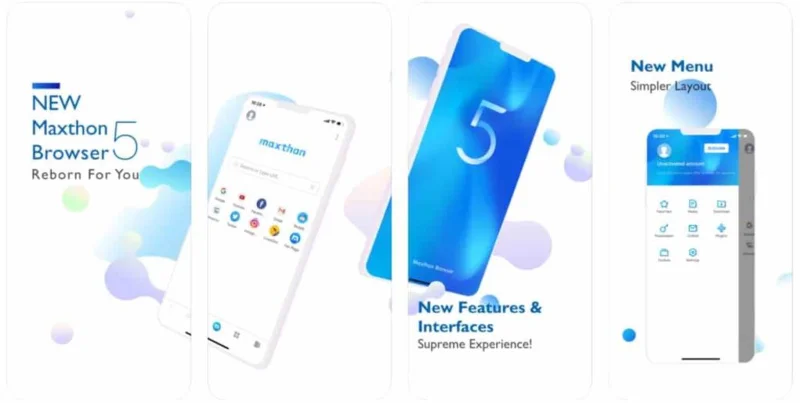
It is a free to download, lightweight cloud-based iOS web browser for use with iPhones. It comes with multiple features, and being cloud-based, you can sync your data with both iOS and non-iOS devices also, enabling the use of your data at all times.
It has a built-in adblocker to avoid unnecessary pop-ups and annoying ads in the midst of your work. This helps you to maintain your work tempo without any disturbances. The night mode facility enables you to browse the internet at night without any strain on your eyes.
It also has a note-taking tool through which you can operate in tandem, making notes easily even while on the web. This tool enables you to collect and save any content you see on the web with just a single tap. You can read, edit, and organize your collection of notes, taken during browsing, even offline.
The browser also facilitates the installation of extensions, and you can install a variety of extensions to increase your productivity by getting the most out of the browser. Its ability of data syncing with multiple platforms and its inbuilt password manager are some of the best features of this browser, making it the most popular browser amongst users of iOS devices.
Download Maxthon
9. Microsoft Edge
")
Like many other web browsers, Microsoft edge is also available for free to download and is worth downloading due to a host of useful features it incorporates. The only condition for using this browser is that you must have a Microsoft account. Microsoft’s own Edge Chromium is available with multiple OS like Windows 10, macOS and you can get Edge for iOS too.
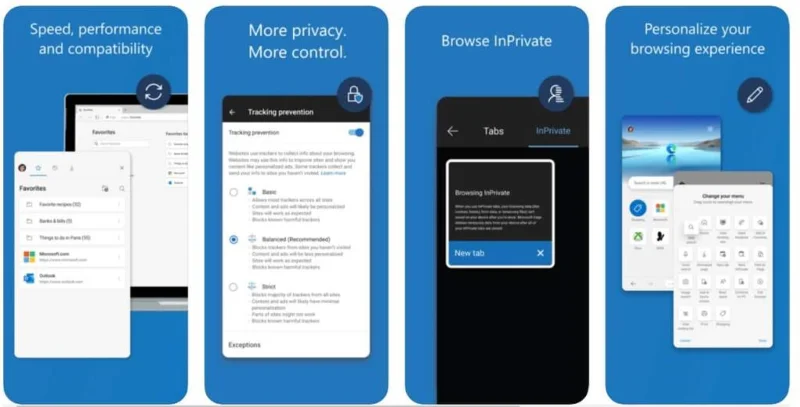
Edge’s new version with a bit of a redesign recently in January 2020 for iOS is worth its use and requires a look if you have not done so for quite some time. It enables iPhone and windows 10 PC to link up between themselves and swap webpages, bookmarks, Cortona settings, and many other things. So you see, it enables saving of data across devices, making your web browsing experience seamless, automatically syncs all of your favorites, passwords, etc.
Microsoft Edge also includes features such as tracking prevention, so as far as trackers are concerned, the browser tracker control will spot them and stop them from tracking you. It also facilitates the blocking of ads and gives you the flexibility to browse in private.
So we see Microsoft Edge is a full-fledged browser fraught with multiple features like tabs, password manager, reading list, language translator, and lot many excellent additional attributes and specifics. It’s a great browser to have and use, but the only thing that is not necessarily a drawback is that it has a slightly heavily built and stocky design. Secondly, it necessitates having a Microsoft account to use this browser.
Download Microsoft Edge
10. DuckDuckGo Browser
")
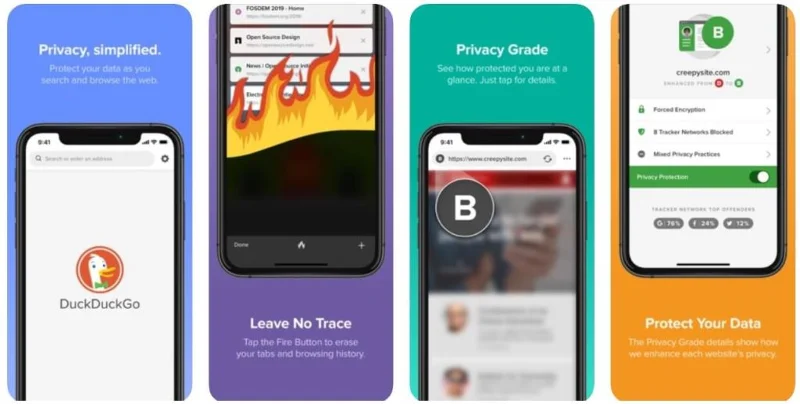
DuckDuckGo, also abbreviated as DDG, is a privacy-focused web browser. And it is one of the best web browsers for iPhone, in fact, it is one of the best alternatives for Safari as it’s a privacy-focused browser. If privacy is the prime requirement in your list, then you have come to the right place and need to look no further. It is a multi-lingual search engine created by Gabriel Weinberg.
With the main emphasis on privacy, this web browser offers enhanced encryption to enable your personal information to stay safeguarded against hacking or data trackers. This browser ensures your browsing session remains private by blocking all the hidden third-party trackers.
This private browser for mobile is available on iOS phones as well as Android devices. It offers many customizations, and you can add a private web search to your most favored web browser or search directly at duckduckgo.com.
The browser comes equipped with the DuckDuckGo search engine, tracker blocker, encryption enforcer, and many more. It works on a very simple and straight forward privacy and does not collect or share any personal information of its users and nor does it track you on the web. The government also can’t get your data or information, as there is none. DDG also does not involve itself with blogs, news images, or books but is purely into core web search.
Since it is free to download a web browser, it makes money differently by selling ads against search inquiries. In case you want a car or are searching for a new car, it will show you car ads and earn in this indirect way from organizations whose ads its displays against your query. So it does no personalized advertising for companies or products but only acts against questions.
Download DuckDuckGo
11. Adblock Browser 2.0
")
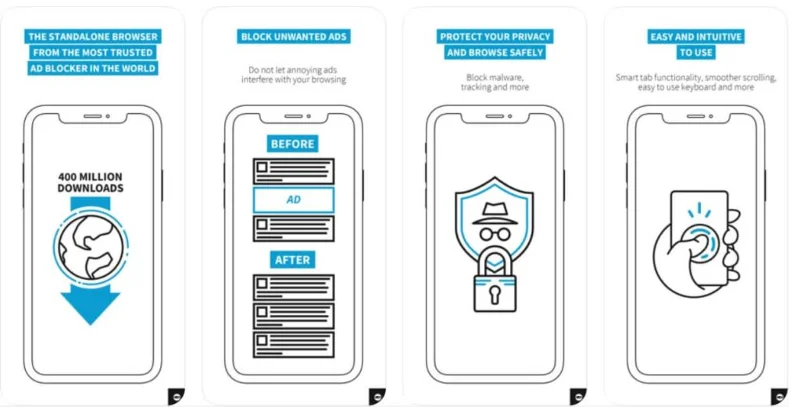
This browser for iOS is easy to use, free to download web browsers only on the AppStore. It can be customized as per needs and requirements, making it easy for users to reduce mobile web ads, including ads on videos watched within the Adblock Browser. This has enabled users to keep away from annoying ads when at work, making them a happier lot.
It is a lightweight 31.1 MB web browser that uses iOS 10.0 operating system and is compatible with iPhone, iPad, and iPad Touch. It is a multi-lingual web browser using languages like English, Italian, Dutch, French, German, Russian, Japanese, Korean, Chinese, and many more. It is also available in Indian origin languages like Malayalam, Hindi, Gujarati, Bengali, Tamil, and Telegu, etc.
With a simple tap, you can access the Ghost Mode wherein it will not store any browser or search history or temporary files and will wipe all history of the browsing session. This browser disables tracking when online. It also enables smoother scrolling to search the web quickly, safely, and privately.
One of the most popular ad blocker with more than 400 million downloads. Due to its ad-blocking feature, it also protects against malware and saves data and battery. With smart tab functionality and an easy to use a keyboard, it is automatic and easy to use and understand.
The major drawback observed was that it has become unstable and used to crash regularly, bringing its popularity drastically down. It is nice to know that its promoters have fixed the bug off late and brought it back to its previous level of popularity and reputation.
Download Adblock
12. Yandex Browser
")
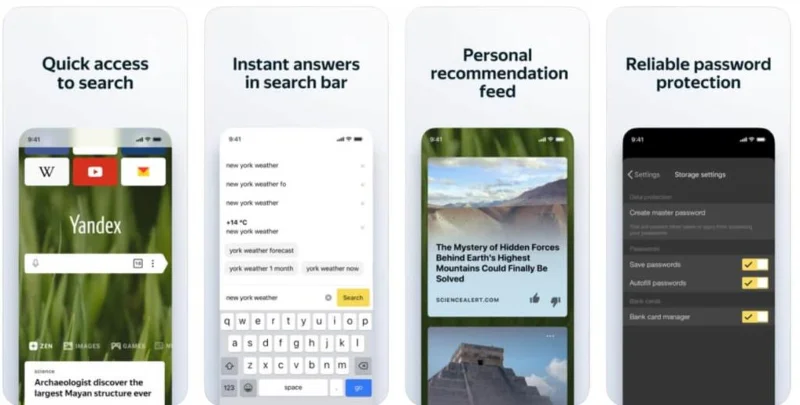
Yandex is free to download a web browser developed by the Russian web search company Yandex. It is a popular alternative to the Safari iPhone Web Browser and has outnumbered Google in Russia. It is a safe and secure browser giving tough competition to Google in Russia.
This web browser is known for Loading Web Pages Faster and, in its special turbo mode, speeds up the page load time. It also is a lightweight software working with minimum data needs and usage. It incorporates all the basic functions required of an iOS web browser.
You can search the internet through its voice search feature in three different languages, i.e., Russian, Turkish, and Ukrainian. You can utilize the turbo technology of Opera software and speed up your web browsing in case of slow internet. For webpage security, you can use the Yandex security system and check the downloaded files using the Kaspersky antivirus.
The background of the landing page of the browser can be customized as per your desire and needs. It is a multilingual web browser available in 14 different languages and also supports C++ and Javascript. It has an inbuilt adblocker that you can turn on to stop viewing ads while surfing the internet. It lends its support to Windows, macOS, Android, and Linux operating systems besides iOS, which needs no out of the box mention.
It also integrates different types of keyboards using omnibox, which combines the browser’s regular address bar with the Google search box, enabling the use of certain text commands. As an example, if you are a normal gmail.com user and start to enter ‘gmail.com’ with a Russian or German language keyboard, on pressing enter, you will be taken to gmail.com and not to any German or Russian website search page.
Quindi vediamo con tutte le funzioni necessarie per un browser, Yandex si è fatto un nome non solo in Russia, ma ha ottenuto l'accettazione in tutto il mondo.
Scarica Yandex
13. Navigatore coraggioso
")
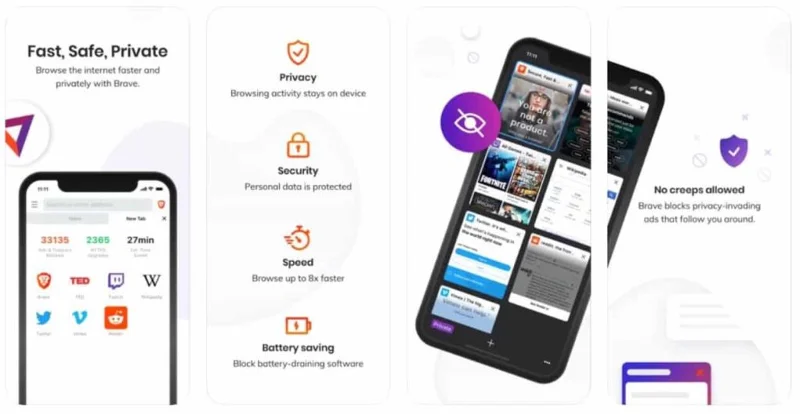
Il browser Brave è un altro buon browser noto sul mercato per la sua maggiore attenzione alla privacy. È anche considerato un browser molto veloce e, per impostazione predefinita, configura le impostazioni o installa estensioni di terze parti per soddisfare le tue esigenze di privacy.
Incorpora HTTPS Everywhere, una funzione di sicurezza che crittografa il movimento dei dati tenendo conto della tua riservatezza. Il coraggioso browser blocca gli annunci dannosi e ti offre la flessibilità di impostare il numero di annunci che desideri visualizzare all'ora.
Questo browser è di ca. Sei volte più veloce di Chrome, Firefox o persino Safari se utilizzato per iPhone e altri dispositivi iOS e Android. Non ha alcuna "modalità privata" come molti altri browser, ma ti consente di nascondere la cronologia di navigazione da occhi indiscreti quando utilizzi Internet.
Simile ai punti premio frequent flyer come nelle compagnie aeree, ti consente di guadagnare premi Brave sotto forma di token per la visualizzazione di annunci che rispettano la privacy durante la navigazione in rete. Puoi utilizzare i token guadagnati per supportare il creatore del web, ma forse molto presto sarai in grado di spendere token su contenuti premium, carte regalo e altro anche su te stesso, poiché i designer stanno lavorando per fare tali disposizioni al più presto.
Il browser Brave ti consente di utilizzare Tor direttamente in una scheda che nasconde la tua cronologia e la tua posizione instradando la tua navigazione attraverso diversi server prima che raggiunga la destinazione prevista. Utilizza lo spazio di memoria poco profondo molto meno della maggior parte dei browser, rendendo il caricamento del sito Web più veloce.
Scarica Brave
14. Browser Web a cipolla
")
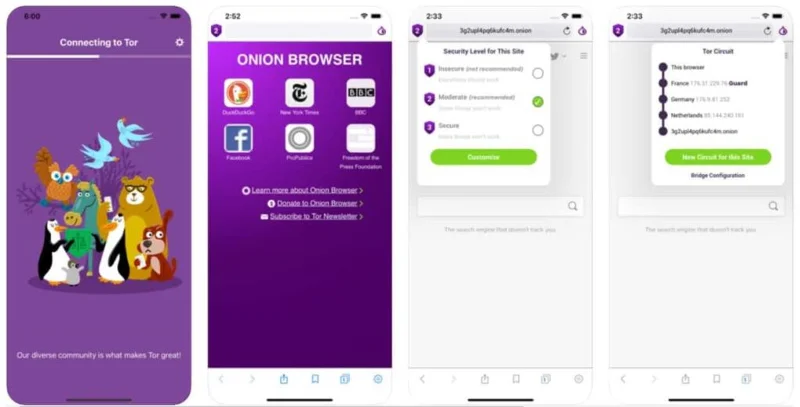
Il browser Onion è un software gratuito e open source per iOS, che consente di navigare in Internet tramite il browser Tor VPN. Aiuta ad accedere a Internet in completa privacy e sicurezza senza costi aggiuntivi. Disabilita i tracker e ti protegge anche da reti wireless e ISP non sicuri durante la navigazione nel World Wide Web su Internet. Quei siti .onion che sono accessibili solo tramite Tor possono anche essere collegati usando questo browser.
Il browser supporta HTTPS Everywhere, una funzione di sicurezza che crittografa il movimento dei dati per garantire un traffico dati sicuro sul web. Questo browser, in base alle tue preferenze, blocca il testo e cancella automaticamente i cookie e le schede. Durante l'utilizzo dei cookie, si raccomanda di prestare attenzione poiché alcuni attacchi informatici possono dirottare i cookie, interrompendo le sessioni di navigazione.
Non supporta determinate attività multimediali e blocca i file video e lo streaming video. A volte potresti imbatterti in una situazione in cui il browser potrebbe non funzionare su reti con restrizioni di rete avanzate. In una situazione del genere, dovrai forzare l'uscita e riavviare il browser o provare il bridging.
Il bridging è un processo in cui i dispositivi possono connettersi tramite la connessione delle reti su cui si trovano quando non è possibile connettersi direttamente utilizzando un router.
Scarica cipolla
15. Browser privato
")
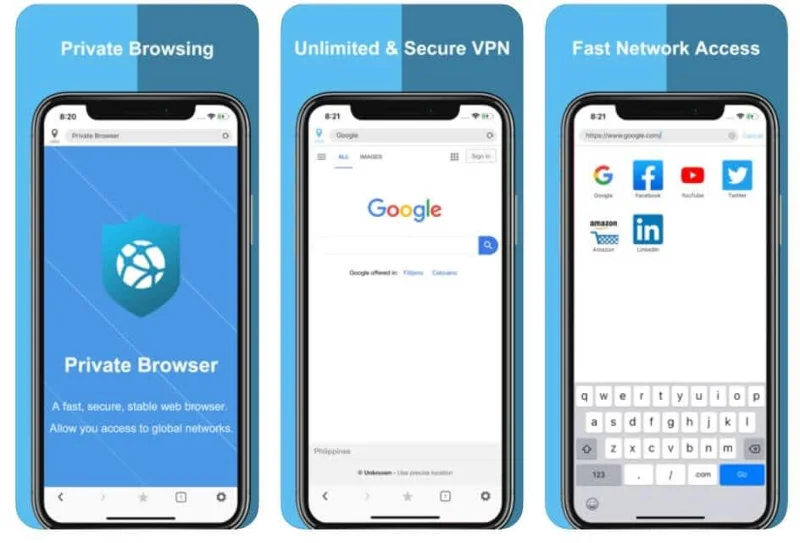
Questo browser proxy VPN è disponibile gratuitamente per il download, un browser Web privato e sicuro su cui si può fare affidamento per la navigazione privata in Internet. Questo browser è il browser iOS privato più veloce che offre VPN illimitate gratuite sul tuo iPhone.
Il browser non registra nessuna delle tue attività quando lo navighi e non viene registrata alcuna attività una volta che esci dal browser. Poiché non vi è alcuna registrazione della tua attività, non si pone nemmeno la questione della condivisione con terze parti.
Puoi navigare tranquillamente sul Web utilizzando questo browser con una mente rilassata senza registrazione e condivisione di dati. Avendo il supporto di più server e con il backup di una politica sulla privacy affidabile e robusta, è considerato uno dei migliori browser-VPN per utenti iPhone e iPad.
Scarica il browser privato
16. Tor VPN Browser
")
Per un accesso privato e tunnel illimitato a Internet che include sia VPN + TOR, allora il browser Tor VPN è il posto giusto in cui ti trovi. È un browser da scaricare gratuitamente con la maggior parte delle sue funzionalità disponibili tramite acquisti in-app.
È simile al tuo viaggio in macchina. Chiunque dal cielo aperto può vedere la tua auto, ma quando entri in un tunnel con più uscite, puoi facilmente scomparire da occhi indesiderati e uscire da qualsiasi porta. Allo stesso modo, una VPN nasconde la tua connessione online e impedisce a chiunque di vedere cosa fai.
Il tunneling consente il trasferimento dei dati da una rete all'altra incapsulandoli per motivi di sicurezza e quindi trasferire i dati protetti da un sistema all'altro, consentendo la comunicazione della rete privata con la rete pubblica come Internet. Questo browser protegge la tua identità online, consentendo la navigazione anonima.
Quindi un tunnel VPN collega il tuo smartphone (o qualsiasi altro dispositivo come laptop, computer o tablet) a un'altra rete in cui è nascosto il tuo indirizzo IP e tutti i dati che generi durante la navigazione sul web sono crittografati.
La connessione, non direttamente ai siti Web ma utilizzando un tunnel VPN, può impedire agli hacker o ad altri ficcanaso come altre aziende o enti governativi di tracciare la tua attività online o visualizzare il tuo indirizzo IP, che come il tuo indirizzo effettivo, identifica la tua posizione mentre sei online. Questo è utile quando accedi a Internet utilizzando il Wi-Fi pubblico in hotel, ristoranti o comuni luoghi di studio come biblioteche, ecc.
Il browser Tor VPN, a causa di alcune restrizioni sulla piattaforma iOS di Apple, non ha ancora rilasciato un Tor Browser ufficiale per utenti iPhone e iPad, ma gli utenti iOS possono utilizzare Onion Browser dall'Apple Play Store per navigare sul web in modo anonimo. Tor Browser ti dà accesso ai siti web .onion disponibili all'interno della rete Tor.
Tor Browser è completamente legale da usare, tuttavia, in alcuni paesi, è illegale o bloccato dalle autorità nazionali. Questo browser rileva e blocca i popup e gli annunci. Elimina automaticamente cookie, cache e dati di terze parti una volta chiusa l'applicazione.
Scarica Tor VPN
Per concludere, non mancano i browser web per iPhone, come possiamo vederne molti descritti sopra. Abbiamo visto che questi browser soddisfano la maggior parte dei requisiti personalizzati con un consumo di dati ridotto al minimo e se qualcuno cerca esclusivamente la privacy come priorità, non devi cercare oltre.
Consigliato:
Questi sono i migliori browser Web nell'elenco per gli utenti di iPhone, ma la scelta finale è lasciata all'utente perché tutto si riduce alle preferenze personali e alla soddisfazione delle tue esigenze e desideri. Coloro che sono interessati al download possono visitare l'Apple Play Store poiché la maggior parte di essi è disponibile gratuitamente.